

Description
Download Lexis Audio Editor APK – audio editor, free audio editor, audio recording, audio editing tool, mobile audio app, audio processing, sound enhancement, audio mixing, audio effects, music editing, podcast editing, voice recording
Overview
Lexis Audio Editor is a mobile audio editing application designed for users seeking a versatile tool to record, edit, and enhance audio content directly from their Android devices. Developed by pamsys, the app serves as a full-featured audio editor that supports a range of audio and video file formats, enabling users to work with diverse media types. It is particularly useful for podcasters, voice-over artists, musicians, and content creators who require on-the-go audio processing capabilities. The app allows users to either import existing audio files or begin a new recording instantly, making it ideal for spontaneous content creation. Its core purpose lies in simplifying audio editing workflows through accessible tools that cater to both beginners and intermediate users. The app addresses common challenges such as poor audio quality, inconsistent volume levels, and the need for precise editing. While the developer did not provide additional details about the company background, the app’s functionality suggests a focus on practicality and user accessibility. Real-world use cases include editing podcast segments, cleaning up voice recordings, and preparing music clips for social media.
Key Features & Capabilities
- Audio Recording & Import – Users can record directly within the app or upload pre-existing audio files from their device’s storage, supporting a broad range of input formats.
- Multi-Track Editing – Offers cut, copy, and paste functions across multiple tracks, enabling users to assemble complex audio compositions by layering and arranging segments.
- Advanced Editing Tools – Includes features such as inserting silence, applying fade-in and fade-out effects, and reducing background noise to improve clarity and professionalism.
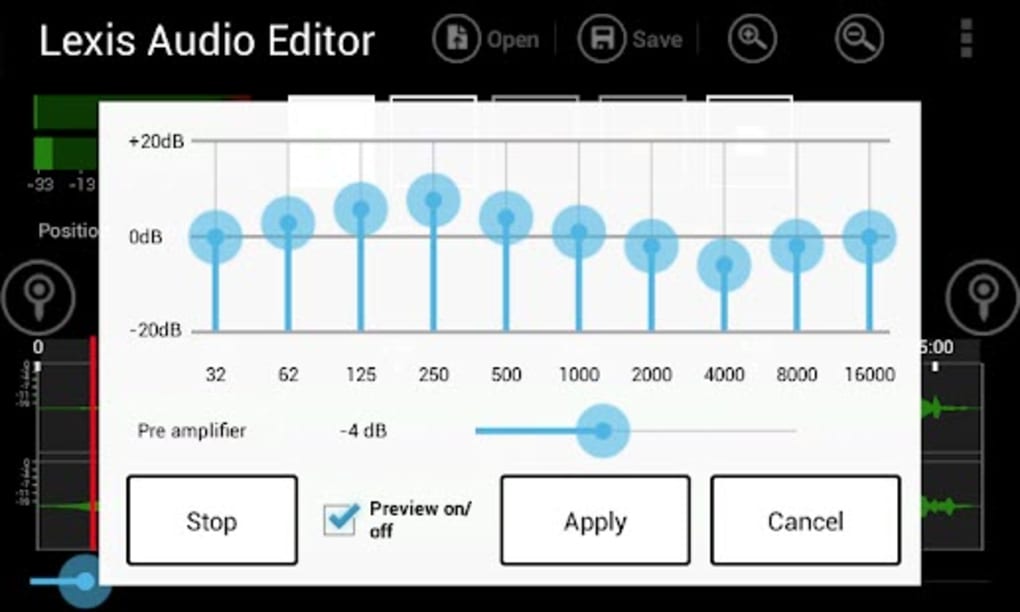
- Real-Time Preview & EQ Customization – Equipped with a built-in audio player for immediate playback, allowing users to preview edits. A 10-band equalizer enables fine-tuning of audio frequencies for enhanced sound quality.
- Export Flexibility – Supports multiple output formats, though the ability to export in MP3 format is restricted to the paid version of the app.
These capabilities make Lexis Audio Editor suitable for tasks like trimming podcast interviews, enhancing voice recordings for online content, or preparing short music clips. The combination of intuitive tools and robust editing options allows users to achieve polished results without requiring advanced technical knowledge.
User Interface, Workflow & Performance
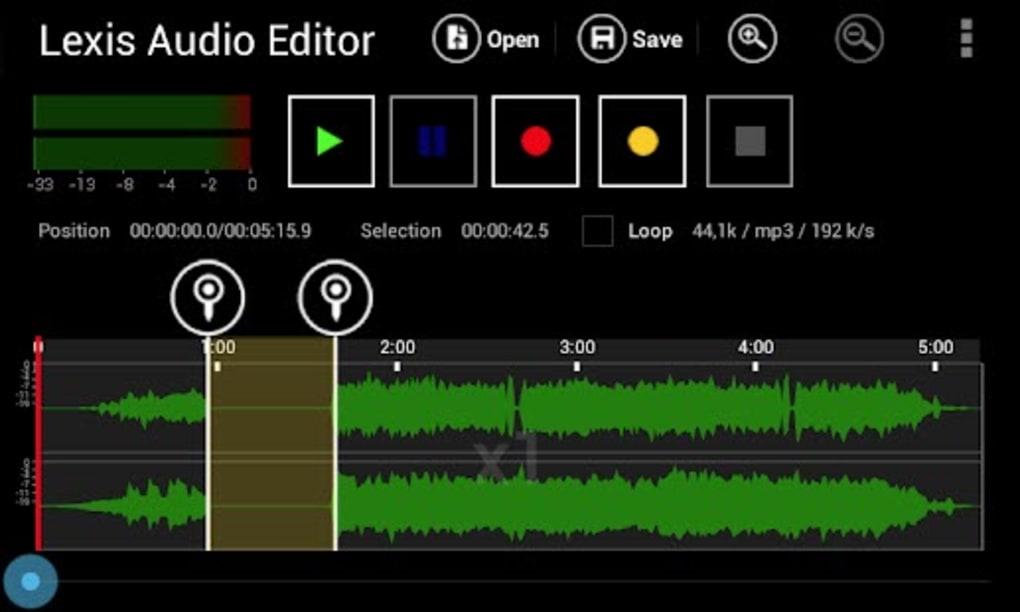
The app features a clean, straightforward interface designed for ease of navigation. Users can access core functions through clearly labeled buttons and menus, minimizing the learning curve. The workflow is linear and logical, guiding users from recording or importing files to editing and exporting. While the UI is described as intuitive, it has been noted that the design appears somewhat plain and minimalistic compared to modern mobile applications. This may affect visual appeal but does not hinder functionality. The developer did not specify resource usage details, so exact performance metrics such as CPU or RAM consumption remain unknown. General software behavior patterns suggest that the app operates efficiently under typical conditions, though heavy editing sessions may impact device performance depending on hardware. Stability during extended use was not documented. Users should expect standard responsiveness based on the Android platform’s handling of multimedia applications. No specific issues with crashes or freezes were reported in the provided information.
Compatibility & System Requirements
Lexis Audio Editor is designed for Android devices and is compatible with the OS version specified in the release details. The app has a file size of 36.2 MB, indicating a lightweight footprint suitable for most modern Android smartphones and tablets. The exact system requirements, such as minimum RAM, processor specifications, or API level, were not listed by the developer. Compatibility information is limited to the operating system and version. Users should ensure their device meets general Android requirements for running multimedia applications. The app does not support other platforms, including iOS or desktop operating systems. Installation is straightforward through APK file deployment, as the app is not available on the Google Play Store according to the provided data.
Pros and Cons
Pros
- Free-to-try access with core editing features available at no cost
- Supports multiple audio and video file formats for flexible input and output
- Intuitive interface suitable for beginners and casual users
- Robust editing tools including noise reduction, fade effects, and silence insertion
- 10-band EQ for detailed sound customization and enhancement
Cons
- MP3 export functionality restricted to the paid version
- UI design appears outdated and lacks modern visual polish
- Limited system requirements information provided
- Not available on official app stores (APK-only distribution)
- Performance under heavy workloads not documented
FAQ Section
Is Lexis Audio Editor available on the Google Play Store?
The app is distributed via APK file and is not currently listed on the Google Play Store. Users must download and install the APK manually.
Can I use Lexis Audio Editor offline?
Yes, the app functions fully offline. No internet connection is required for recording, editing, or exporting audio files.
Is the app safe to download and install?
While the app is developed by pamsys, users should exercise caution when installing APK files from third-party sources. It is recommended to verify the source and scan the file with antivirus software before installation.
Are there regular updates for Lexis Audio Editor?
The app was released on May 15, 2024, and the current version is 2.0.2. The frequency of updates has not been specified.
What is the license type for Lexis Audio Editor?
Lexis Audio Editor is free to try, with certain advanced features, including MP3 export, available only in the paid version. The full licensing model is not detailed in the provided information.
Final Thoughts + CTA
Lexis Audio Editor stands out as a capable and accessible audio editing solution for Android users who need a reliable tool for recording and refining audio content. Its combination of essential editing features, real-time preview, and customizable EQ makes it a solid choice for podcasters, voice artists, and hobbyist musicians. While the user interface could benefit from a modern redesign and the app’s distribution method via APK may deter some users, its core functionality remains strong. The free-to-try model allows users to test the app’s capabilities before committing to a purchase. For those seeking a lightweight, mobile-first audio editor with powerful tools, Lexis Audio Editor delivers value and performance. Download Lexis Audio Editor now to enhance your audio projects on the go.
Guides & Tutorials for Lexis Audio Editor APK
How to install Lexis Audio Editor APK
- Click the Preview / Download button above.
- Once redirected, accept the terms and click Install.
- Wait for the Lexis Audio Editor APK download to finish on your device.
How to use Lexis Audio Editor APK
This software is primarily used for its core features described above. Open the app after installation to explore its capabilities.
User Reviews for Lexis Audio Editor APK 0
No reviews found





